All Input Methods
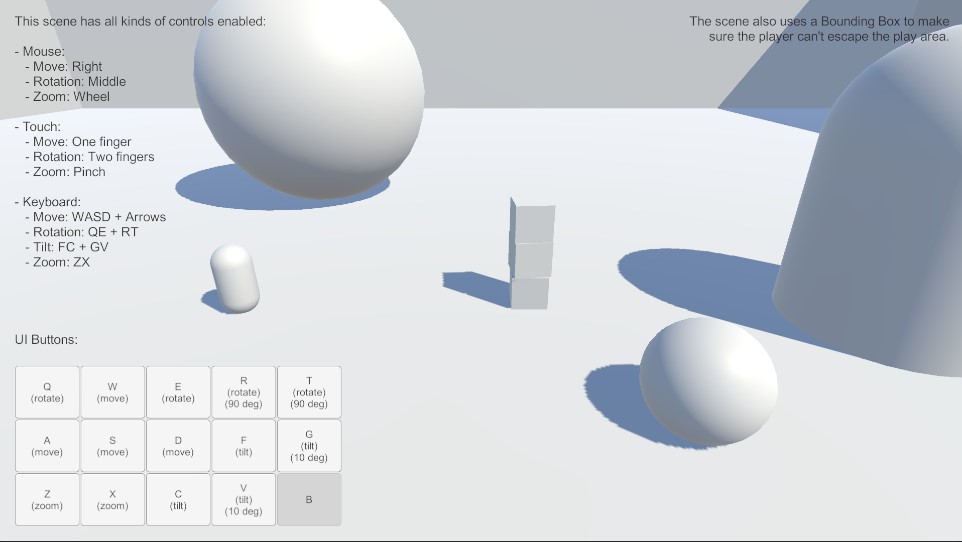
In this scene all input methods are enabled: mouse, keyboard, UI buttons, touch, and edge-scrolling.
Note
This scene comes in two variants:
- All Input Methods (New Input System).unity - using the New Input System Component. Works in Input System Package (New) or Both mode.
- All Input Methods.unity - using the Legacy Input Components. Works in Input Manager (Old) or Both mode.
Controls
Movement, rotation, and zoom are all controlled with mouse, touch, keyboard, or UI buttons.
Movement
Move the camera with Right Mouse Button, W A S D, Arrow Keys, One Finger Touch on mobile devices, or the UI buttons on the screen.
Rotation
Rotate the camera with Middle Mouse Button, Q and E on the keyboard, Two Finger Touch on mobile devices, or the UI buttons on the screen. Or R and T for stepped rotation.
Tilt
Tilt the camera with Middle Mouse Button, F and C on the keyboard, Two Finger Touch on mobile devices, or the UI buttons on the screen. Or G and V for stepped tilt.
Zoom
Zoom the camera with Mouse Scroll Wheel, Z and X on the keyboard, Two Finger Pinch on mobile devices, or the UI buttons on the screen.